Simple Android Tools
Small, focused Android apps that do one job well. Keep an eye on your battery temperature, health and charging to extend battery life, or make text easier to read by changing the font size with a single tap.
No ads. Only available on Google Play – please don't install our apps from other sources.

Bamowi: Battery Monitor & Temperature
Battery temperature alarm & monitor: widgets, charts, battery health and charge alerts
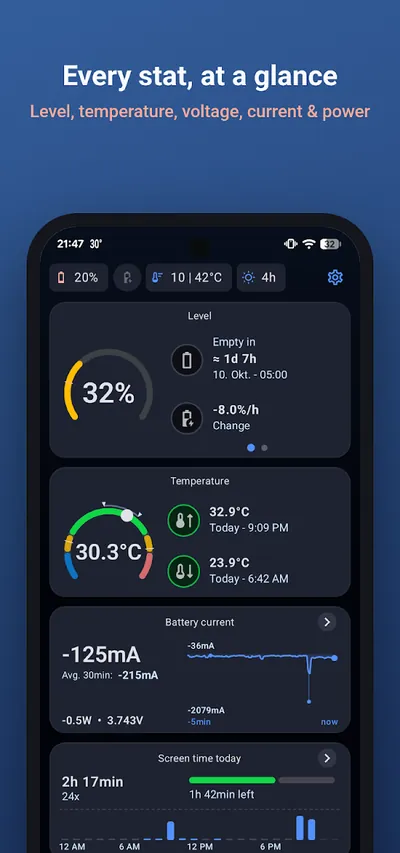
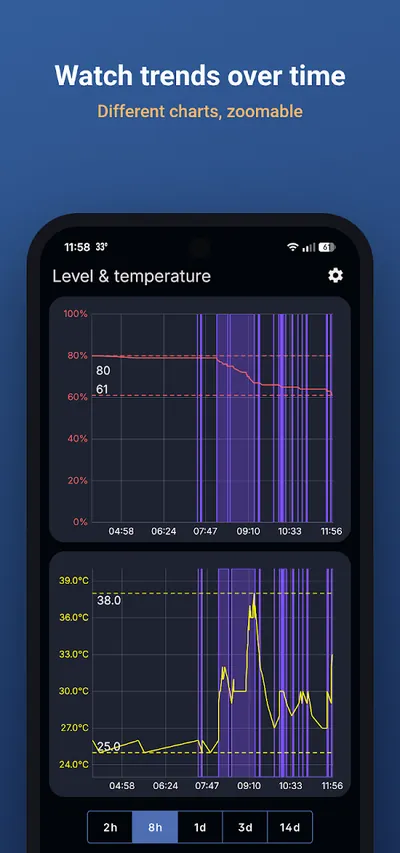
Bamowi warns you when your battery gets too hot or too cold. Get a notification when the battery temperature crosses your limit, when the battery level is low, or when charging reaches a level you choose – a simple way to protect your battery from overheating and overcharging. The app also records your battery data and shows it in clear charts and statistics.
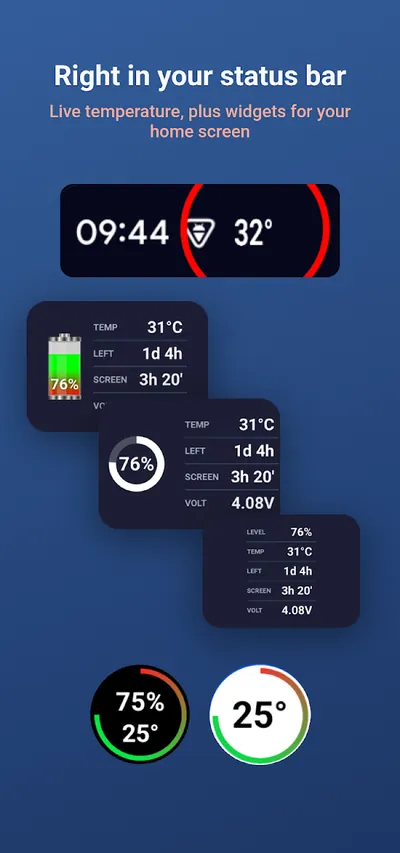
Battery temperature alerts
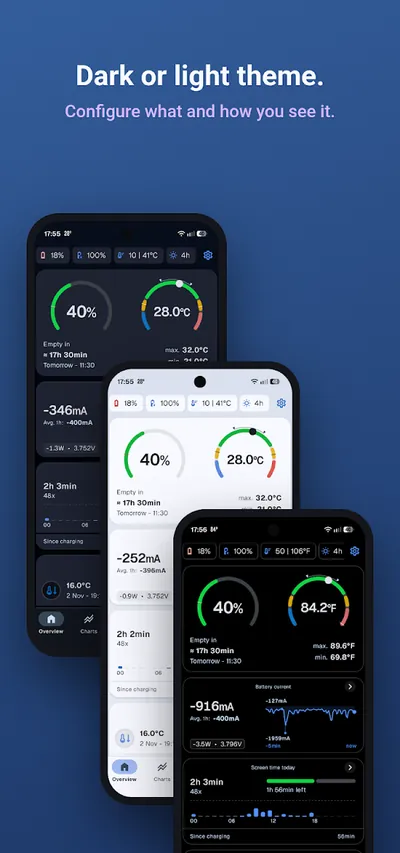
- Battery temperature in the status bar
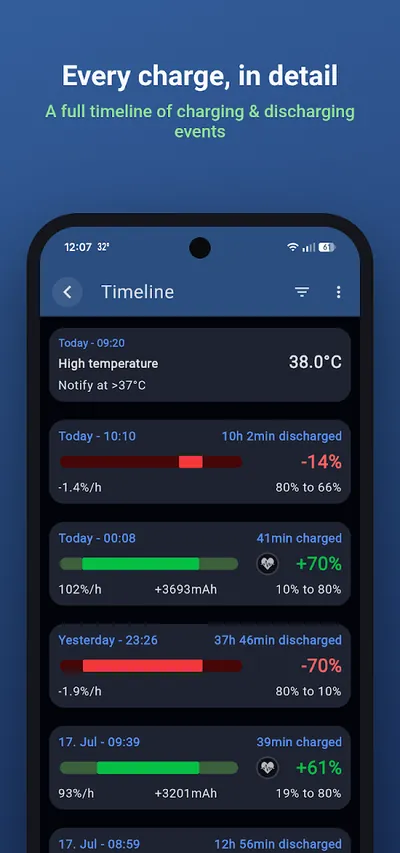
- Alarms for too high or too low temperature
- Low battery and charge level alerts
- Celsius or Fahrenheit
Charts & live data
- Current, voltage and power with a live graph
- Level, temperature and voltage over the past days
- Lowest and highest values with timestamps
- Today's screen time
Battery health
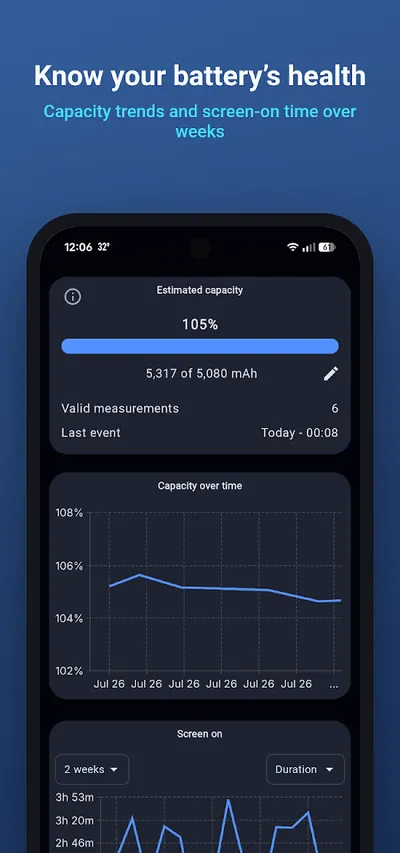
- Estimated battery capacity and health
- Track how your battery ages over time
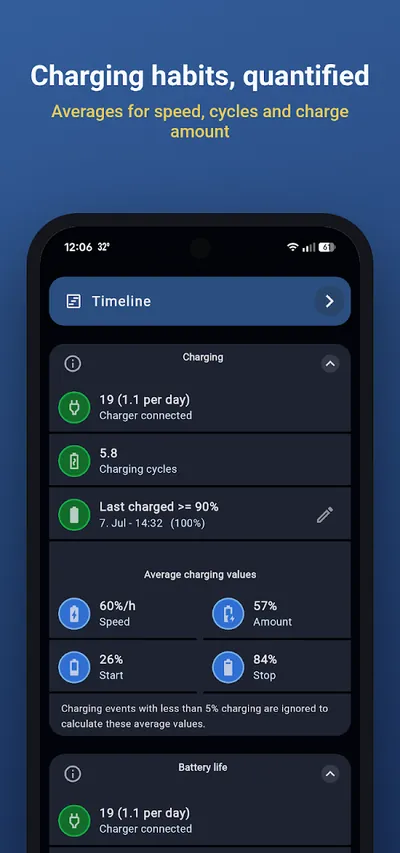
- Charging timeline with duration and speed
- Charging statistics and insights
Home screen widgets
- Ring widget for the battery level
- Universal widget: level, temperature, voltage, screen time, time left
- Free choice of colors and font size
PRO features
- 14 days of chart history instead of 3
- Customizable status notification and status bar icon
- Export charts, charging data and capacity to CSV
- Daily screen time limit with notification
- Capacity chart over one year or all time

Font Size: Change the Android Font Size
Make text bigger or smaller on Android – from 65% up to 250% with one tap
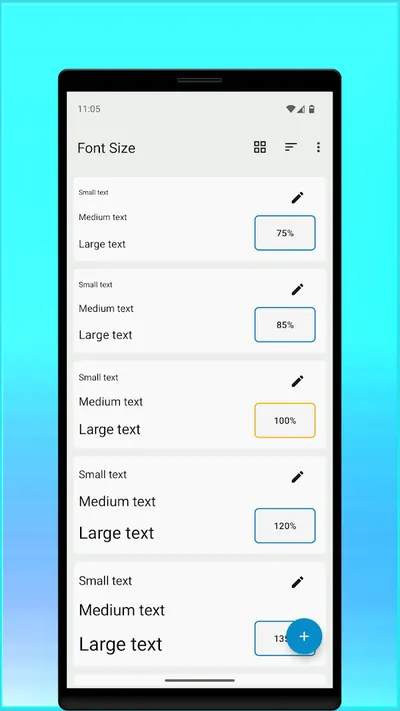
Is the text on your phone or tablet too small to read? Font Size lets you change the system font size on Android far beyond the limits of the standard settings. Save the sizes you use most and switch between them with one tap, right in the app or from a home screen widget. No restart is needed – the new size is applied immediately in all apps.
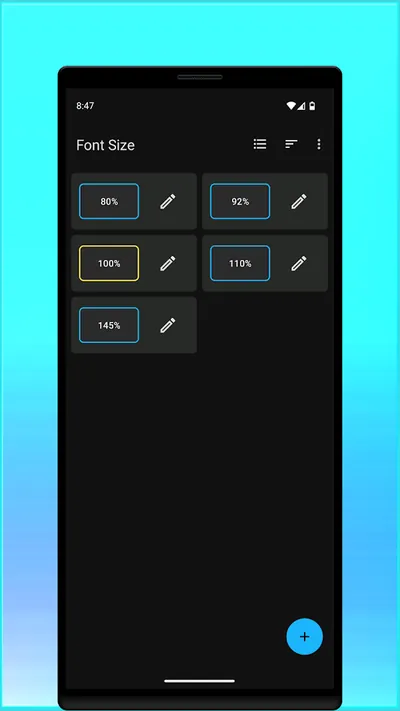
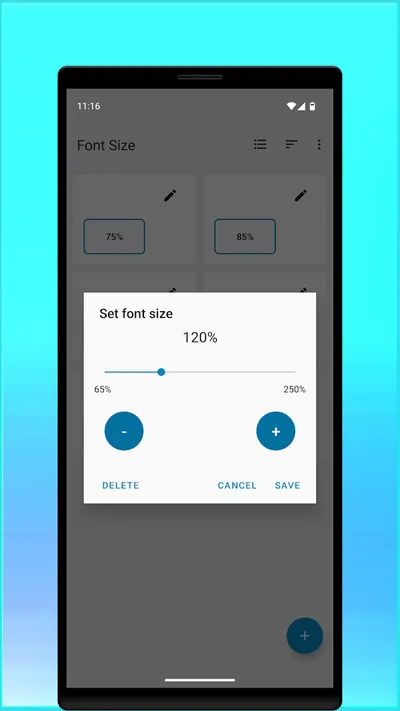
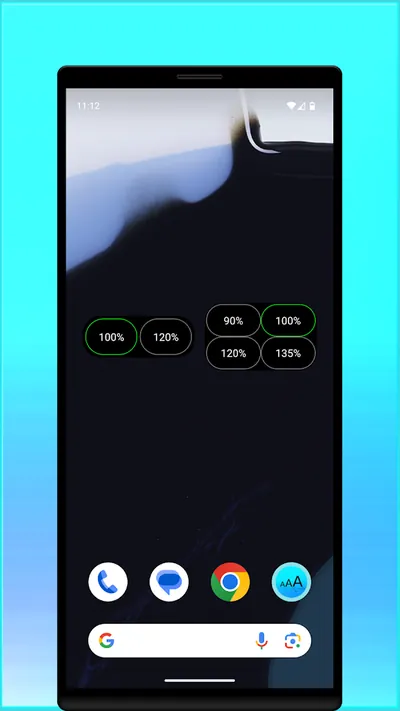
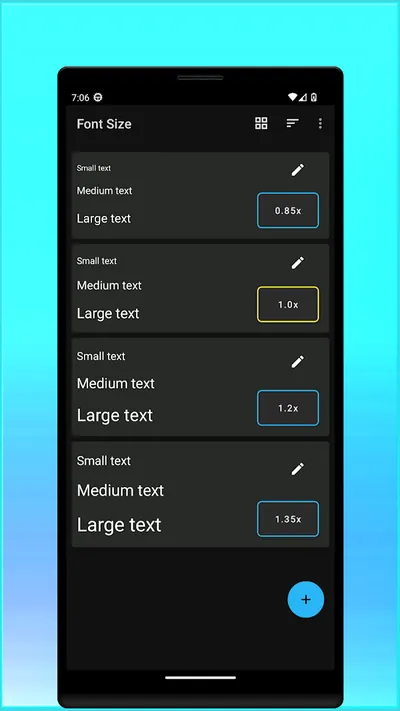
One-tap font size
- Font size from 65% to 250%
- Live preview of the text size
- Save your favorite sizes
Home screen widget
- Switch the font size without opening the app
- 2 or 4 sizes per widget
Phones & tablets
- Works on smartphones and tablets
- No restart needed after a change
To change the font size, the app needs the permission to modify system settings. The permission to run at startup is only used to refresh the widget.
Get Font Size on Google PlayFrequently asked questions
What is a safe battery temperature for a phone?
Most smartphone batteries work best between about 20 °C and 35 °C (68 °F to 95 °F). Temperatures above 40 °C (104 °F), especially while charging, make the battery age faster. Bamowi lets you set your own temperature limits and notifies you when they are exceeded.
How can I check my Android battery health?
Bamowi estimates your battery capacity from charging events and compares it with the design capacity. Over time this shows how your battery health changes.
How do I make the text bigger on Android?
The Android settings only offer a few font size steps. With the Font Size app you can choose any size between 65% and 250%, save your favorite sizes and switch between them with one tap or a widget.
Do the apps contain ads?
No. Our apps do not show any advertisements. Read our privacy policy to see what data is collected.